
We hope that you have already read our tutorial on How to add a cPanel email account to your Android Mobile and you have already added a built-in email widget to your Android screen.
The built-in Android email application allows us to set a custom email signature which will be shown at the end of your email .
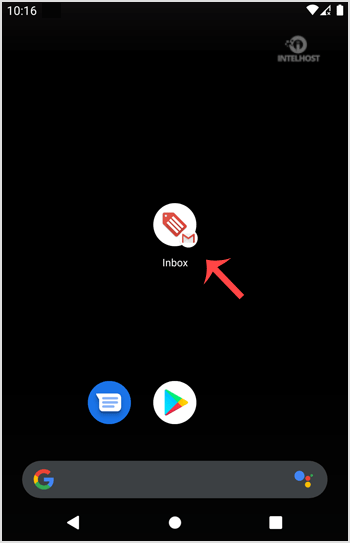
1. Open the Email inbox icon.
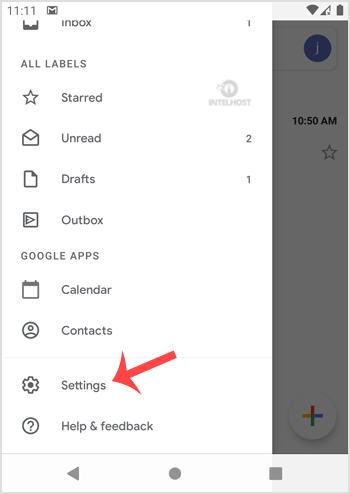
2. In the Mail option, tap on Menu and then on the Settings button.
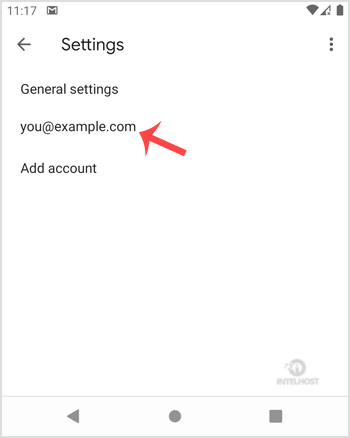
3. Select your email account. If you have multiple accounts, you can set different signatures for each account.
4. Tap on "Signature". 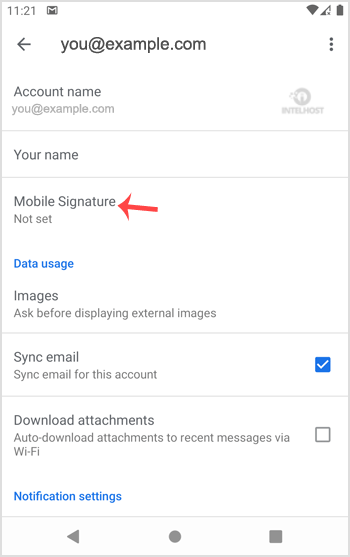
5. Set your customized signature and then tap on the OK button. 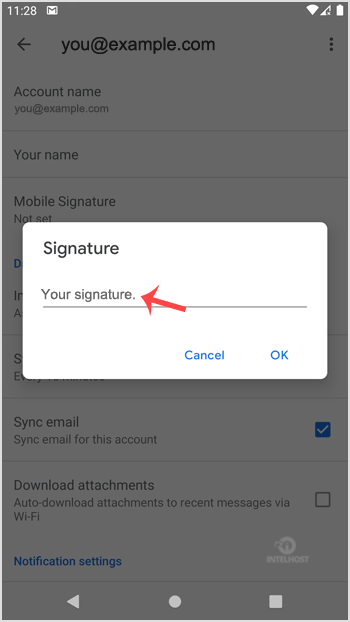
Now, whenever you send an email or reply to one, the signature will be automatically added at the end of your email.
Categories
4
Backup Restore
1 Central del Cliente
28 cPanel Video Tutoriales
11 Databases
9 DNS Nameserver
10 Domain Management
20 Email
9 FTP
13 htaccess cPanel
6 Instalación Panel de Control
8 Mail Filters & SPAM
11 Móvil
25 Panel cPanel
24 Plesk Tutorials
3 Programación
1 Reseller Hosting
10 Seguridad
59 SiteWorx (Control Panel)
79 Softaculous
19 SolusVM
5 SSL
2 VPS Hosting
23 WHM Video Tutoriales
18 Wordpress Hosting
Categories
Tag Cloud
- 0 Users Found This Useful
Related Articles
Cómo agregar una cuenta de E-mail de cPanel a un móvil Android?
You can add a cPanel email account to your Android mobile using the built-in email application....
Cómo leer los E-mails de cPanel en tu móvil Android?
If you have already added your cPanel email accounts to your Android built-in email application,...
Cómo eliminar el E-mail de cPanel en tu móvil Android?
We hope that you have already read our tutorial on How to add cPanel email account in Android...
Cómo obtener - sincronizar el email en tu móvil Android?
We hope that you have already read our tutorial onHow to add cPanel email account in Android...
Cómo enviar un email a través de tu móvil Android?
We hope that you have already read our tutorial on How to add a cPanel email account to your...
Powered by WHMCompleteSolution

Loading...
Loading...