
You can access your VPS via VNC in case of emergency such as when your IP is blocked by a firewall, the Internet connection is not working, you are unable to access your VPS via SSH or for OS Installation/Reinstallation reasons, etc.
1. Login to your SolusVM Control Panel.
2. If you have multiple VPS, select the appropriate one.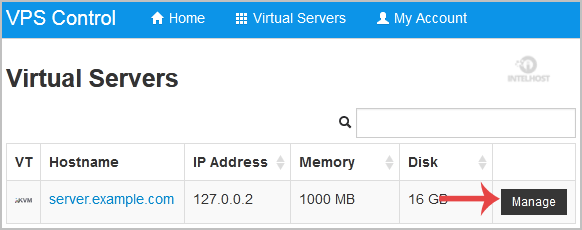
3. Scroll down and you can see a "VNC" option. Click it!
4. The new VNC page will open. Click on "Java VNC Client" or on "VNC".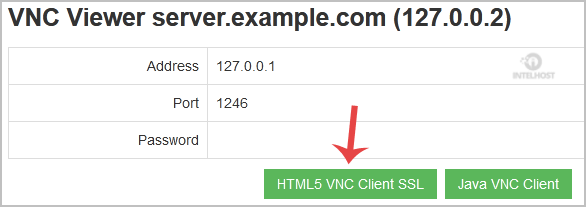
5. It will prompt for confirmation. Click "Ok" or "Continue" and it will show "Security Warning". If it looks OK, accept it and click the "run" button.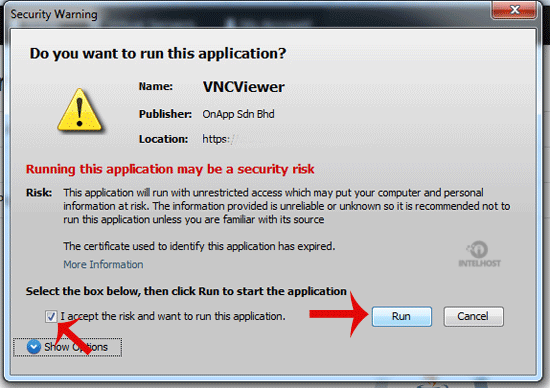
The VNC Area will resemble the following screenshot: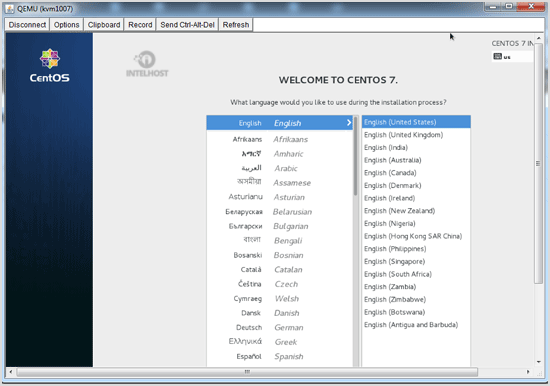
Note: If you get any errors like "Java Blocked", you will need to white-list our VPS control panel domain in your Java Security List. Then it will show "Java plugin not installed", after which you can install the Java software on your computer.
Categories
4
Backup Restore
1 Central del Cliente
28 cPanel Video Tutoriales
11 Databases
9 DNS Nameserver
10 Domain Management
20 Email
9 FTP
13 htaccess cPanel
6 Instalación Panel de Control
8 Mail Filters & SPAM
11 Móvil
25 Panel cPanel
24 Plesk Tutorials
3 Programación
1 Reseller Hosting
10 Seguridad
59 SiteWorx (Control Panel)
79 Softaculous
19 SolusVM
5 SSL
2 VPS Hosting
23 WHM Video Tutoriales
18 Wordpress Hosting
Categories
Tag Cloud
- 0 Users Found This Useful
Related Articles
Cómo Reboot/Restart Tu VPS usando SolusVM?
If you want to restart your VPS, you can do it via the Command line or SolusVM.How to...
Cómo apagar su VPS con Forcefully o Gracefully Usando SolusVM?
You can shutdown your VPS in two ways - forcefully or gracefully, using SolusVM. How to...
Cómo Start/Boot Tu VPS usando SolusVM?
If your VPS is down/offline, you can start it using SolusVM.1. Login to your SolusVM Control...
Cómo reinstalar el OS con SolusVM OS-Reinstaller?
You can easily reinstall the operating system using the SolusVM automatic reinstallation tool but...
Cómo instalar/reinstalar manualmente un OS usando SolusVM para Customized Installation?
The SolusVM Automatic Reinstall option does not allow you to modify or create a custom partition...
Powered by WHMCompleteSolution

Loading...
Loading...